Design direction · version 6 · 23 October 2026

Trade Market Design Direction

The direction for Trade Market, the trading platform for the Colombo Stock Exchange that replaces ATrad. It records what is decided, sets out the visual style in enough detail to brief a designer, lists the states the experience must cover, and keeps the research that led here.

ATrad interface captureViky's mockupEnclave architecture briefPublic research
JKH.NVotingMarket open
John Keells Holdings PLC
LKR17.80
▲ 0.20 (1.14%) today
1D1W1M1Y5Y
Specimen in the proposed style: Geist type, panel surface, blue for the selected range, green only because the price is up. Illustrative price.
Part 1

What is decided

Product name
Trade MarketShown as a monochrome wordmark, so there is no logo colour to change later.
Decided
Currency
LKRCode before the amount: LKR 1,234.50.
Decided
Stock codes
SYMBOL.CLASS, such as JKH.N and JKH.XThe class letter always shows. The full code appears when the series digits are not 0000.
Decided
Colour
Neutrals, blue as the only primary, status coloursNo separate brand colour. Green, red and amber carry status only.
Decided
Theme
Dark first, not pure black, with a light modeBoth themes built from the same tokens.
Decided
Style references
Robinhood, Arkham, HyperliquidRobinhood's restraint with the flat, dense trading screens of the other two.
Decided
Typeface
Inter and Geist, both keptBoth stay switchable through one font token while screens are built. Decide from real screens.
Open
Experience
ATrad feature parity, plus the states the exchange connection requiresListed in Part 3.
Decided
Mobile app
A new conceptNot based on ATrad's current app.
Decided
Architecture
Draft 1, in Part 4Surfaces, Simple navigation, stock page and order ticket, Pro workspace, notifications and key flows. Open for amendments.
Open
Part 2

Visual style

Mood: a quiet terminal

Robinhood's hierarchy, with one large number and a lot of calm, applied to the flat, dense dark screens of Arkham and Hyperliquid. The interface should feel precise and unhurried. Colour appears only when a number has something to say.

RobinhoodHierarchy and calm

Take one large number per screen, generous spacing, a stock page that reads from top to bottom, and quiet feedback after actions.

Leave the green brand colour, which turns the whole app red on a down day, and any celebration after a trade.

ArkhamMonochrome density

Take the near-monochrome dark surfaces, dense tables that stay readable, and colour kept for the figures that matter.

Leave the crypto vocabulary and on-chain concepts, which have no place in an equity platform.

HyperliquidFlat trading layout

Take the trading layout: chart in the centre, order book and trades beside it, a compact order panel, thin dividers in place of boxed cards.

Leave leverage controls, funding rates and perpetual-contract features.

These notes are written from familiarity with the three products. Capture current screenshots of each for the mood board before visual design starts.

Surfaces and colour

Three surface levels do almost all of the work. Blocks are separated by thin lines and spacing, not boxed cards with gaps. Shadows appear only on things that float above the page, such as menus and sheets.

BackgroundThe page itself
PanelWatchlists, charts, tables
RaisedMenus, sheets, dialogs

Corner radius: 4 to 6px on desktop panels, 12px on mobile sheets and buttons.

RoleDarkLightUsed for
Background#111418#F6F7F9The page
Panel#171B21#FFFFFFContent areas
Raised#1E232B#FFFFFF + shadowMenus, sheets
Divider#262C35#E4E7EBSeparators, in place of card borders
Main text#E6E8EB#14171COff-white on dark, never pure white
Secondary text#8C939D#5F6672Labels, metadata
Primary fill#2F6BEB#2F6BEBMain non-trade actions: Add funds, Continue, Save
Primary text#6EA0FF#1F5FD6Links, selected tab, focus ring, selected tint
Up#2EBD85#067A4CPrice and P&L up, Buy side
Down#F0616D#D6363FPrice and P&L down, Sell side
Warning#E5A93B#A15C00Pre-open, halts, risk warnings

Every text colour meets WCAG AA contrast on its panel. White text on the primary fill also passes, so the button blue stays the same in both themes.

Neutrals, about 90%Blue, about 5%Status, about 5%

A target for how much of a typical screen each group covers, not a measurement.

Colour rules

  • Blue means "you can act here" or "this is selected". It never carries market meaning.
  • Green and red mean direction only: change against the previous close, profit and loss, and the trade side. Bid and Ask columns stay neutral. Order-book depth bars use faint tints.
  • Trade buttons take the side's colour. The Buy/Sell toggle and the submit button ("Buy JKH.N") are green or red. This is the one place a whole button uses a status colour.
  • Amber appears only for market state and warnings.
  • Colour is never the only signal. Pair it with ▲ ▼ and a + or − sign.
  • Charts: in Simple, one line in the day's direction colour, with a dotted line at the previous close. In Pro, green and red candles, everything else grey.

Blue: actions and selection

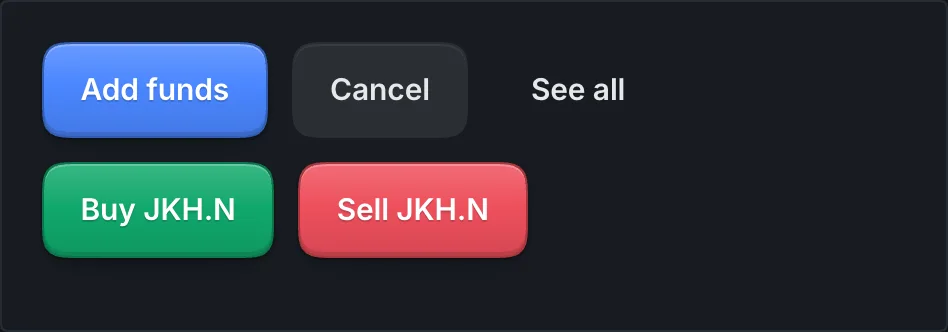
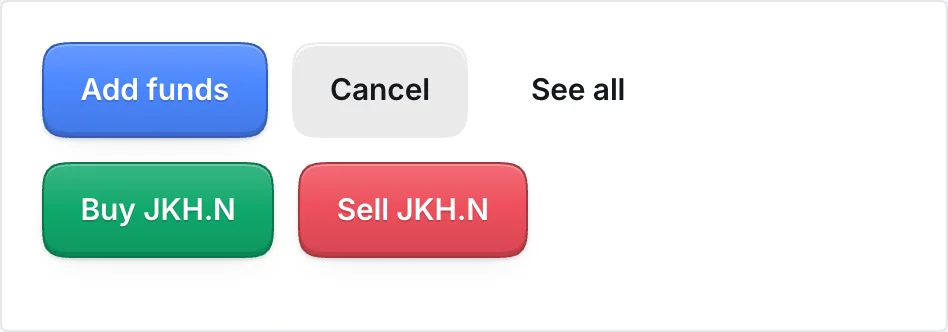
Add fundsCancel
1D1M1Y

Green and red: direction and side

BuySell
JKH.N▲ 1.14%
COMB.N▼ 0.17%
Buy JKH.N

Amber: state and warnings

SessionPre-open

Typography: crisp at small sizes

Trading screens live at 12 to 13px, so the typeface is chosen for small sizes first. It needs a tall x-height, open letter shapes, clear differences between 0 and O and between 1, l and I, and true tabular figures so columns of numbers line up.

Two candidates meet that bar. Both are shown below with the same content. Inter is in Viky's mockup. Geist is a little more compact and slightly more technical in tone.

Interby Rasmus Andersson
LKR 17.80
▲ 0.20 (1.14%) today
0O 1lI 5S 8B rn m
CodeLast% ChgVolume
JKH.N17.80+1.141,240,500
JKH.X15.20+0.6648,900
COMB.N142.75−0.17312,040
HNB.N318.50+0.3988,115

Your order to buy 2,777 shares of JKH.N is placed. You'll be notified when it fills.

Geistby Vercel
LKR 17.80
▲ 0.20 (1.14%) today
0O 1lI 5S 8B rn m
CodeLast% ChgVolume
JKH.N17.80+1.141,240,500
JKH.X15.20+0.6648,900
COMB.N142.75−0.17312,040
HNB.N318.50+0.3988,115

Your order to buy 2,777 shares of JKH.N is placed. You'll be notified when it fills.

Type rules

  • Weights 400, 500 and 600 only. Thin weights blur on dark backgrounds; heavy weights glow.
  • Data text at 12px or larger. 11px only for chart axes.
  • Sentence-case labels instead of tiny uppercase. Small capitals with wide spacing read worse than lowercase at the same size.
  • Prices in the interface font's tabular figures, not a monospace font. That is more compact and crisper. Monospace only for order IDs and full security codes.
  • Slashed zero only in dense Pro tables, where 0 and O sit close together.
  • Test where crisp usually fails: Windows at 100% display scaling, where many ATrad users work, and a mid-range Android phone.
  • Keep both while building. Inter and Geist sit behind one font token, so every screen can switch between them with one setting. Compare them on real screens and decide later.
UseSize / lineWeightWhere
Display price32 / 36600Stock page, portfolio total
Title20 / 26600Screen titles
Body, Simple15 / 22400Lists, explanations
Body, Pro13 / 18400Panels, forms
Data, Pro12.5 / 16500 for pricesWatch grids, order book, blotter
Label12 / 16500Field and column labels, in secondary text
Axis11 / 14400Chart axes only

A starting scale in pixels, to be tuned once the typeface is chosen.

Sinhala and Tamil

Pair the Latin face with Noto Sans Sinhala and Noto Sans Tamil, matched for x-height. Labels in both scripts run two to three times wider than English, so buttons, tabs and column headers need room to grow.

English
BuySell
Sinhala
මිලදී ගන්නවිකුණන්න
Tamil
வாங்கவும்விற்கவும்

Shown to test script and label length only. Final wording should come from native financial copywriters.

Two densities, one system

The same tokens and components run at two densities. Simple uses Robinhood's spacing for people checking holdings on a phone. Pro uses trading-terminal spacing for people watching the market all session.

Simple, comfortable

15px text, rows about 56px
John Keells HoldingsJKH.N · 2,000 shares
17.80▲ 1.14%
Commercial BankCOMB.N · 200 shares
142.75▼ 0.17%
Dialog AxiataDIAL.N · 5,000 shares
13.40▲ 0.75%

Pro, compact

12.5px data, rows about 30px
CodeLast% ChgBidAsk
JKH.N17.80+1.1417.7017.80
JKH.X15.20+0.6615.1015.20
COMB.N142.75−0.17142.50142.75
HNB.N318.50+0.39318.25318.50
DIAL.N13.40+0.7513.3013.40
  • Motion: a price change gets a brief tint on the number, never a flashing cell background. Sheets slide in. No celebrations.
  • Icons: one monochrome line-icon set, drawn at 16 and 20px.

Stock codes and LKR

The CSE's full code is JKH.N0000: symbol, class letter, then four series digits. Trade Market shows SYMBOL.CLASS, and the class letter always stays because JKH.N and JKH.X are different securities with different prices.

JKH.NVoting
JKH.XNon-voting
ABC.PPreference
ABC.RRights
ABC.W0023Warrant, series kept
ABC.DDebenture
  • Drop the digits only when they are 0000. Warrants and some other classes use them for a series number. Showing only ABC.W could merge two different warrants. Check this rule against the CSE securities list.
  • Pair the code with a plain class label such as Voting or Non-voting.
  • Simple mode leads with the company name; Pro leads with the code.
  • Searching "JKH" returns every class grouped under John Keells Holdings, each with its label.
  • Amounts: LKR 1,234.50, code before the amount with a space. Large figures as LKR 28.62M and LKR 1.4B.
  • Dense tables: put the currency in the column header, "Price (LKR)", not in every cell.
  • Precision: prices always have 2 decimals, quantities are whole numbers with commas, percentages have 2 decimals and a sign. Negatives use a true minus sign (−), never a hyphen.
  • Time: Colombo time (UTC+5:30) on the market-state indicator.

Keeping a rebrand cheap

Colours are set up in three layers in both Figma and code. Components only ever reference roles, and roles point at the palette. A rebrand then means pointing primary at a new colour and swapping the wordmark, and perhaps the typeface. Status colours never come from primary, so a new brand colour can't change what up or down looks like.

The typeface works the same way. Every component uses one font role, so Inter and Geist swap with a single change while the screens are built.

1. Palette

Raw values
blue-600#2F6BEB
grey-900#171B21
green-500#2EBD85
red-500#F0616D
Inter, Geistfonts

2. Roles

What a colour means
primaryblue-600
surface-panelgrey-900
upgreen-500
downred-500
font-uiInter or Geist

3. Components

Reference roles only
Button, primaryprimary
Watchlist panelsurface-panel
Price change, upup
Sell buttondown
All interface textfont-ui

The highlighted path is the only one a rebrand touches.

Part 3

Experience

Feature parity with ATrad

For now the experience matches ATrad feature for feature. The checklist below is every one of ATrad's 48 menu destinations from your capture. Each item shows where it lives in the draft architecture in Part 4, so the homes will move as that draft changes. Use the list as the parity checklist.

States the exchange connection requires

The enclave architecture brief defines order and money states that ATrad never showed clearly. Even at parity, each needs a design. The rule behind all of them: the exchange is the only source of truth about an order.

Order lifecycle

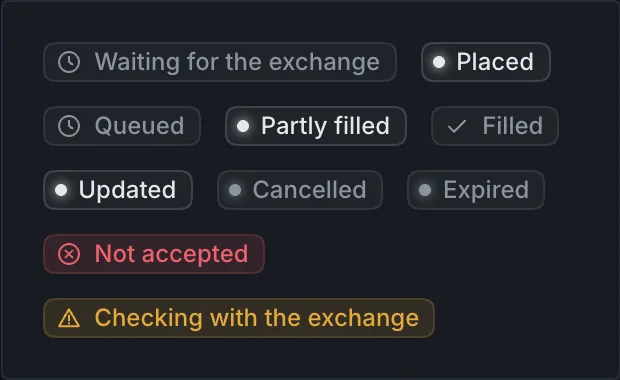
Checking with the exchangeSent but no reply. Never shown as failed. Resubmitting is blocked until the exchange's own reports settle it.
Not acceptedFailed a pre-trade check, or the exchange rejected it. Always shown with the reason and a way to fix it.
CancelledOnly once the exchange confirms the cancel.
ExpiredThe validity period ended before it filled.

Why an order wasn't accepted

Every refusal arrives with a reason from the pre-trade checks. Each needs plain wording and, where possible, a next step.

CheckWhat the user readsWhat they can do
Duplicate orderThis order was already sent.Open it in Orders
Trading haltedTrading is paused across the market. Your order wasn't sent.Wait; existing orders stay
Account not eligibleYour account can't place orders right now.Contact the broker
Stock not tradeableJKH.X isn't trading today.See announcements
Order type in this sessionMarket orders open at 9:30. Use a limit order during pre-open.Switch to limit
QuantityEnter a whole number of shares.Fix the quantity
Tick sizeThis stock moves in LKR 0.10 steps. Try 19.90 or 20.00.Tap a suggested price
Reference price stalePrices are updating. Try again in a moment.Retry
Price bandToday's allowed range for this stock is shown under the price.Adjust the price
Order too largeThis order is larger than the system accepts.Split the order
Order value capOrders this size need your broker's approval.Contact the broker
Foreign ownership limitForeign ownership in this company has reached its limit.No action available
Order rateYou're sending orders too quickly. Wait a moment.Retry shortly
Cleared funds (buy)You need LKR 1,240.00 more in cleared cash.Add funds
Holdings (sell)You can sell up to 2,000 shares now. 1,200 more arrive after the CDS update.Adjust the quantity

Check names follow the enclave brief, section 3. Figures in the messages are examples.

Money and holdings

Cash

Cleared cashLKR 62,400.00
Reserved for open ordersLKR 28,384.99
Available to tradeLKR 34,015.01

A buy reserves its value plus estimated fees from cleared cash the moment it is sent. Available to trade is cleared cash minus reservations.

Shares, JKH.N

Can sell now2,000
Reserved for open sell orders0
Awaiting CDS update1,200

Sells are limited to the CDS balance. Shares bought today arrive after the end-of-day CDS update.

Halts and sessions

  • Three kinds of halt, three banners: the whole market, one stock, or the user's own account. New orders stop; existing orders stay in place.
  • Session phases: order types that aren't allowed in the current phase are shown disabled, with the reason, instead of failing after submit.
  • Outside trading hours: say plainly whether an order can be entered now and when it reaches the exchange.
  • Too many orders: a short, calm message that asks the user to wait.

Margin, short selling and futures

What the CSE allows as of October 2026, and how Trade Market treats each. Margin and short selling belong in ATrad parity for eligible accounts. Futures don't exist on the CSE yet.

ProductOn the CSE todayTrade Market treatment
Margin tradingAvailable through SEC-licensed margin providers: stockbrokers with a margin licence, banks and finance companies. The SEC regulates margin credit and the CSE regulates short-term broker credit. One provider's 2022 terms were a 50% initial margin and a 40% minimum maintenance margin (CDB); terms vary by provider.In scope for eligible accounts. Lives in Funds and the Pro Margin panel, never on the Simple home. ATrad already supports margin, and the enclave brief waives the order value cap for clients with a credit facility on record.
Short sellingAvailable since November 2023 through regulated stock borrowing and lending, on an eligible list reviewed every three months. A borrowing agreement must be in place before the short sale (Daily FT).Pro only, for approved accounts and eligible stocks: a Sell short action in the Pro ticket and the Short positions panel.
Futures and optionsNot available yet. The CSE launched its central counterparty, CSE Clear, on 1 August 2025 as groundwork, and has applied to the SEC for a derivatives licence. No launch date is public (Daily Mirror).Nothing designed now. The architecture leaves room to add futures as a new asset class when the CSE launches them (Q12).

Margin states to design

  • Buying power that shows its source: cleared cash and available margin, listed separately.
  • Margin used and margin level: the loan, the value of pledged shares, and the ratio against the maintenance threshold.
  • Marginable stocks: which holdings count as collateral and at what value, since providers weight portfolios by risk.
  • Early warning in amber as the margin level nears the maintenance threshold.
  • Margin call: how much to deposit or sell, and by when.
  • Forced sale notice: what was sold, why, and the result.
  • Interest and charges in statements.

Confirm current margin rules and thresholds with the partner broker before design. The SEC has changed them during market stress before (Daily FT).

Plain language for statuses and terms

ATrad statusTrade Market labelWhat the user reads
PENDING, PENDING NEWWaiting for the exchangeYour order is on its way to the exchange.
NEWPlacedYour order is in the market at LKR 17.80 and stays until it fills or expires.
QUEUEDQueuedThe market is closed. Your order goes in when the session opens.
P.FILLEDPartly filled1,200 of 2,777 shares bought. Waiting for sellers for the rest.
FILLEDFilledAll 2,777 shares bought at LKR 17.80. They reach your CDS account in 2 market days.
AMENDED, Q.AMEND, PENDING REPLACEUpdating, then UpdatedYour price change to LKR 17.70 is being sent, then confirmed.
CANCELED, Q.CANCELCancelledYou cancelled this order. Nothing was bought.
EXPIREDExpiredThe day ended before your order filled. Place it again?
REJECTEDNot acceptedThe reason in words, with a way to fix it.
ATrad termSimplePro
B.E.S PriceBreak-even priceBreak-even (B.E.S)
VWAAverage price todayVWAP
Cleared / Available BalanceShares you can sell nowCleared · Available
Unsettled BuyArriving after the CDS updateUnsettled buy
TIF: DAY, GTD, GTCValid until: today, a date, cancelledTIF with all six options
IOC, FOK, OPGNot shownFill now or cancel, Fill all or cancel, At the open
Disclose Qty, Minimum Fill QtyNot shownShow part of order, Minimum fill
Board: Crossing, AON, AuctionNot shown (Regular only)Board selector
Part 4

Architecture

Draft 1, open

Surfaces and modes

A first full pass at the UI and UX architecture, built from everything in this document: ATrad parity, the states the exchange connection requires, the four user groups, the style direction and the platforms studied. It is a draft for amendment, not a decision. Open questions are numbered at the end so changes can refer to them.

The core idea: one account, one data feed and one order engine, shown at two densities. Simple is the default on phones; Pro is a desktop workspace. The mode is a view preference, never a separate product.

SurfaceDevicesDefaultMain users
Mobile appiOS and Android phonesSimple, with Pro data pages and the full order ticket on requestHolders, swing traders, pros away from the desk
Web, narrowPhone and tablet browsers in portraitSimple, with the same structure as the appAnyone without the app
Web, desktopBrowsers 1280px and widerSimple or Pro, the user's choice. Asks once and remembers per devicePros, and holders at a desk
Tablet, landscapeTablets held sidewaysPro with two-panel layoutsPros (to confirm, Q3)
Advisor consoleDesktop browsersA separate role with its own toolsBroker advisors and dealers (scope open, Q4)

Changes with the mode

  • Density: type size, row height, number of grid columns.
  • Structure: pages and sheets in Simple; docked panels in Pro.
  • Order ticket: advanced fields collapsed in Simple, open in Pro.
  • Labels: plain words in Simple, technical terms in Pro.
  • Charts: one line in Simple; candles, indicators and drawing in Pro.

Never changes

  • The account, balances and holdings.
  • Orders and alerts. An order placed in one mode appears in the other at once.
  • Fees, break-even and settlement before every order.
  • Market state, halts and data freshness.
  • Order status wording from Part 3.

Switching modes

  • Where: Account › Display on every surface, plus a Simple/Pro switch at the top right of the order ticket, the moomoo pattern. It sits in the same place in both modes.
  • First run asks "How do you invest?" and sets the default for that device.
  • Contextual links such as "Full order book", "More data" and "Open in Pro" take a Simple user to the matching Pro view.
  • Eligibility sits outside the mode. Margin, short selling and other restricted features need account approval in either mode.

Simple navigation

Four tabs, with four things available from every screen. Every list of stocks leads to the stock page, the hub for everything about one company.

Market stateSession, Colombo time, halt banner SearchName or code, grouped by company with share classes InboxFills, alerts, announcements, broker messages AccountFrom the avatar

HomeTab 1

  • Portfolio value, today's move, return after fees
  • Portfolio chart
  • Cash available to trade
  • Holdings
  • Watchlists
  • Upcoming: dividends, XD dates, rights deadlines
  • First-run checklist when empty

MarketsTab 2

  • ASI and S&P SL20
  • Market pulse: turnover, stocks up and down
  • Sectors today
  • Most active
  • Movers, with volume and news context
  • Announcements
  • All securities, by sector and class

OrdersTab 3

  • Open orders, with change and cancel
  • Today's fills and summary
  • History by date, stock and status
  • Order detail: timeline, fills, fees, contract note

FundsTab 4

  • Cleared, reserved, available, clearing
  • Add funds by bank transfer
  • Withdraw
  • Margin: limit, used, margin level, for eligible accounts
  • Statements and contract notes

AccountAvatar

  • Profile and CDS accounts
  • Broker and advisor contact
  • Security: password, biometrics, devices
  • Alerts and notification channels
  • Display: mode, theme, language
  • Documents and tax certificates
  • Import from ATrad
  • Help and legal

Shared screensFrom anywhere

  • Stock page
  • Index page
  • Sector page
  • Order ticket, as a sheet
  • Order detail
  • Search
  • Inbox

Simple on desktop

  • Same structure, wider layout. The four tabs become top navigation, with search, inbox and account on the right. Content sits in a column up to about 1200px wide.
  • Home shows the portfolio and holdings on the left and watchlists on the right.
  • Stock page keeps the same top-to-bottom order, with the order ticket docked on the right instead of a sheet.
  • Same density as the phone: comfortable rows and plain labels. Users who want panels switch to Pro.

The stock page and the order ticket

Stock page, top to bottom

  1. HeaderCompany name, code with class badge, sector, watchlist star, Notify me. A halt banner sits here when the stock or market is halted.
  2. PriceLKR price, today's move with ▲ ▼ and sign, last trade time.
  3. ChartOne line in the day's direction colour, previous close dotted, ranges from 1D to 5Y.
  4. Your positionShares you can sell now, shares arriving after the CDS update, average price, value, return after fees, break-even price.
  5. Your open ordersFor this stock, with status.
  6. TodayBest bid and offer, spread, range, volume, turnover, average price today, and a liquidity cue for thinly traded stocks.
  7. Order book previewTop 5 levels, then "Full order book".
  8. Dividends and corporate actionsUpcoming dates and entitlements.
  9. AnnouncementsCSE filings for this company.
  10. AboutCompany details, other share classes such as JKH.X, sector peers, and "More data" for the Pro views.

Pinned at the bottom: one Trade button that opens the order ticket.

Order ticket, one component in both modes

Always shown

  • Buy or Sell, and the security with its class.
  • Quantity in shares, or a rupee amount converted to whole shares for buys.
  • Limit price, prefilled at the best price, snapping to valid ticks, with today's allowed range.
  • Valid until: today, a date, or until cancelled.
  • Summary: order value, fees with breakdown, total or net proceeds, break-even, cash or shares after, and whether a buy uses cash or margin.

Advanced, collapsed in Simple and open in Pro

  • Order type: market, stop, stop limit.
  • Board: regular, crossing, all or none, auction.
  • Minimum fill and disclosed quantity.
  • Fill now or cancel, fill all or cancel, at the open.
  • Sell short: Pro only, for approved accounts and eligible stocks.
  • Checks run while typing: tick size, price band, cleared funds, sellable shares and order types allowed in the current session, each with the plain message from Part 3.
  • Confirm: Simple shows a review screen and slide to place. Pro confirms inline, with a "Review before placing" setting like ATrad's Confirm box.
  • After placing: the order timeline from Part 3, and a notification when the exchange responds.

Pro workspace

A docked, resizable panel workspace in the mould of Hyperliquid and Kite Terminal Mode. Panels are linked, layouts are saved, and the keyboard reaches everything.

Panel library

PanelReplaces in ATradNotes
WatchlistCustom Watch, Portfolio WatchSeveral lists; column presets up to all 19 ATrad columns
Market gridFull Watch (equity, bills, bonds), Sector WatchFilter by sector and class
MoversTop Ten gainers, losers, volumes, turnoversFour tabs in one panel
Heat mapHeat MapSized by turnover, tinted by change
ChartBasic Charts, Advance Charts, OHLC valuesCandles, indicators, drawing tools
QuoteDetail Quote, StatisticsPeriod highs and lows, trade counts
Order bookMarket DepthClick a level to set the ticket price
Time and salesTrade BookPer stock
Volume at priceTrade Book SummaryPer stock
Market tapeMarket Time & SalesAll trades, filterable
Order ticketBuy, SellAdvanced fields open
OrdersOrder Blotter, Order TrackerFilters, change, cancel, export
FillsMy Trades, Trade Execution SummaryBy stock and by day
HoldingsPortfolio, Stock Holding, Account SummaryCleared, available, unsettled, break-even
FundsAccount Statement, buying powerLedger export
MarginATrad's margin features, run through the broker back officeLimit, used, margin level, calls; eligible accounts
AlertsSet Alert, View AlertMultiple conditions
AnnouncementsExchange and Broker AnnouncementsFilter to watchlist or holdings
CalculatorsWhat-if, Average Cost, Bond, YieldOne panel with four tools
ReportsSymbol Trade Summary, index summaries, time and sales historyExports
BasketsOrder BasketsExcel import; shared with the advisor console
Short positionsShort Position ReportEligible accounts only

Linking, layouts and keys

  • Link groups: panels join group A, B or C, marked with a letter rather than a colour. Picking a stock in a linked watchlist updates that group's chart, quote, order book and ticket.
  • Preset layouts: ATrad classic (pulse strip, full-width 19-column grid, bottom dock) for migration; Trader (watchlist, chart, order book and ticket); Investor (holdings, chart, announcements and dividends); Market overview (heat map, movers, market tape, indices).
  • Saved workspaces: up to 10, switched with Alt and a number, following Kite's limit.
  • Pop-out: any panel opens in its own window for a second monitor.
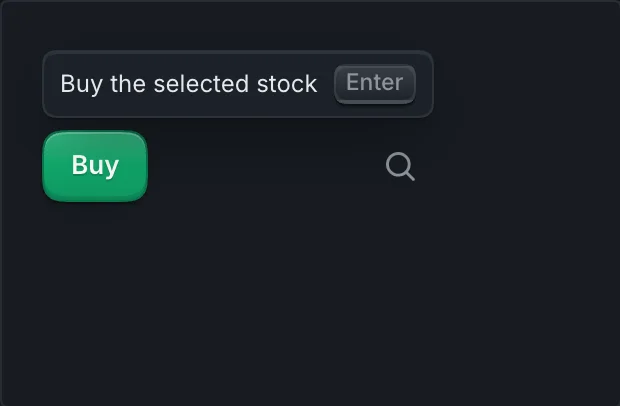
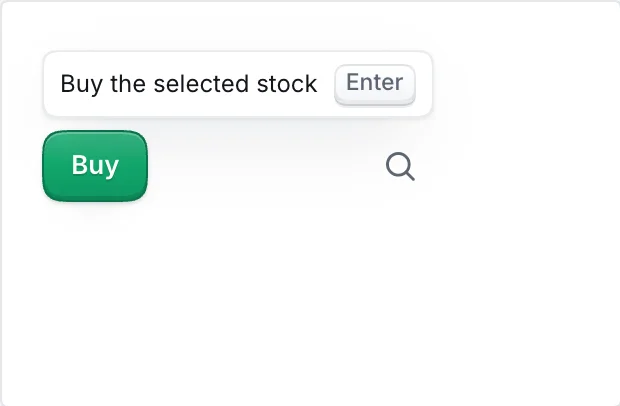
  • Keys: Enter buys the selected stock and F2 sells it, as in ATrad. / searches, Ctrl or Cmd with K opens the command menu, Esc closes, arrow keys move through grids.
  • Settings: compact or comfortable density, price-change tint on or off, columns per grid.

Cross-cutting systems

  • Market and data state: the session indicator on every surface, halt banners for market, stock and account, and a freshness marker when prices stop updating.
  • Offline and weak networks: last-known values with their time, and order entry disabled with "You're offline. Orders need a live connection." Orders are never queued on the device.
  • Languages: Sinhala, Tamil and English everywhere, switchable before sign-in, with one shared glossary.
  • Theme and type: dark and light from the same tokens. The typeface is a token too, so Inter and Geist stay switchable while screens are built.
  • Accessibility: WCAG 2.2 AA, larger text sizes respected in Simple, full keyboard use in Pro.
  • Migration: imported ATrad watchlists and alerts, the ATrad classic layout, familiar keys, and ATrad's names in tooltips for the first months.

Notifications

EventInboxPushSMS
Order filled or partly filled
Order not accepted, cancelled or expired
"Checking with the exchange" resolved
Price alert triggered
Announcement for a holding or watchlist stock
Dividend, XD date or rights deadline
Funds received or withdrawal sent
Market or stock halted
Margin level near the maintenance threshold
Margin call or forced sale
Broker message
New device sign-in
Always User can turn on Not used

SMS covers events a user needs to know about even with mobile data off.

Key flows

First run
Choose language›Sign in or open a CDS account›Verify device›"How do you invest?"›Import from ATrad›Add funds›First watchlist
Add funds
Funds›Add funds›Bank transfer details with reference›Clearing›Credited, with notification
Buy
Stock page›Trade›Ticket›Review›Place›Timeline›Filled›Shares arrive after the CDS update
Sell
Holding›Trade, Sell›Quantity capped at shares you can sell now›Review net proceeds and gain after fees›Place
Change or cancel
Orders›Order›Change price or Cancel the rest›Confirmed by the exchange
Price alert
Stock page›Notify me›Condition›Channels
Corporate action
Inbox or Home, Upcoming›Detail with dates and entitlement
Statement
Funds›Statements›Period›PDF
Pro session
Open workspace›Pulse strip and watchlist›Click a level in the order book›Ticket›Enter›Orders dock

Open questions for amendment

Numbered so amendments can refer to them, for example Q2.

  1. Funds as a tab?Or fold it into Home and make Search the fourth tab.
  2. A fuller Pro trade page on phones?moomoo offers one; this draft stops at the expanded ticket and Pro data pages.
  3. Tablet landscape.Which panels and layouts it supports.
  4. Advisor console.Scope, timing, and whether advisors place orders that clients confirm.
  5. More than one CDS account.Where the account switcher lives.
  6. Bills and bonds at launch?Or equities only.
  7. Market orders in Simple?Or limit only, with market under Advanced.
  8. Corporate-action steps in the app.Rights subscriptions and similar actions go beyond ATrad parity.
  9. Sync across devices.Whether watchlists, alerts and Pro layouts follow the user.
  10. Where alerts are managed.Account, Inbox, or both.
  11. Margin at launch.Which providers and accounts, and how much of the margin journey (application, limits, calls) lives in the app.
  12. Room for futures.Nothing designed now; confirm the asset model can add futures when the CSE launches them.
Part 5

Principles we design by

Why these principles

The laws below are well-researched findings about how people see, choose and act. They explain why Trade Market is designed the way it is. They don't prove that it works.

Proof comes from the usability test planned for phase 1: the same three tasks in ATrad and in the prototype (buy 100 shares, find a dividend date, cancel an order), timed, with errors counted. If a screen follows every law here and still loses that test, the test wins.

Some laws are measured effects (Fitts, Hick, Miller); others are rules of thumb (Parkinson, Postel, Jakob). Each law below gives its meaning in one line, how Trade Market applies it, where it shows in the design system, a sample from the design system, and an honest status.

Applied 13 built in the design system todayPartly applied 6, with what is missing namedPlanned none on its own; the planned parts are named under each law

Perception: how a screen is seen

Gestalt findings about how people group what they see. They decide where dividers, surfaces and shared tracks go.

Proximity, common region and similarity

Applied

Things that sit close together, share a surface or look alike are read as one group.

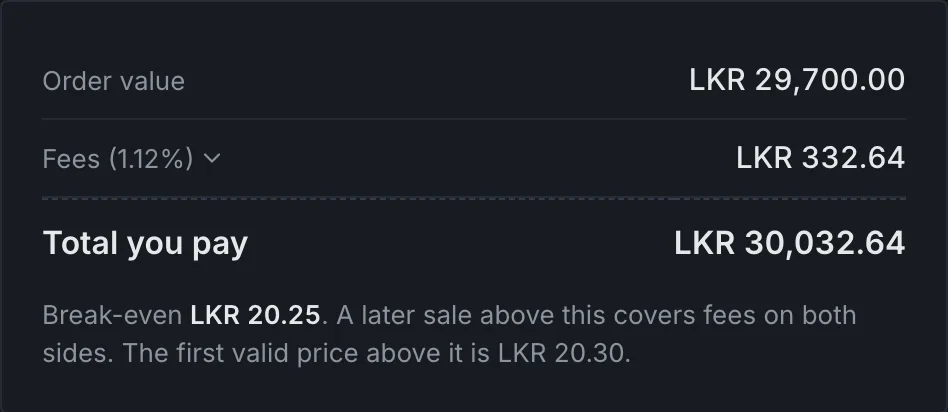
Panels are flat and separated by 1px dividers instead of boxed cards, so space and surface do the grouping. Stats put each label right above its figure; key-value lists keep labels left and figures right. The fee breakdown keeps value, fees and total together and sets the total apart with a rule. Every status pill and every share-class badge has the same shape, so people learn them once.

Research: Wertheimer (1923); Palmer (1992) on common region.

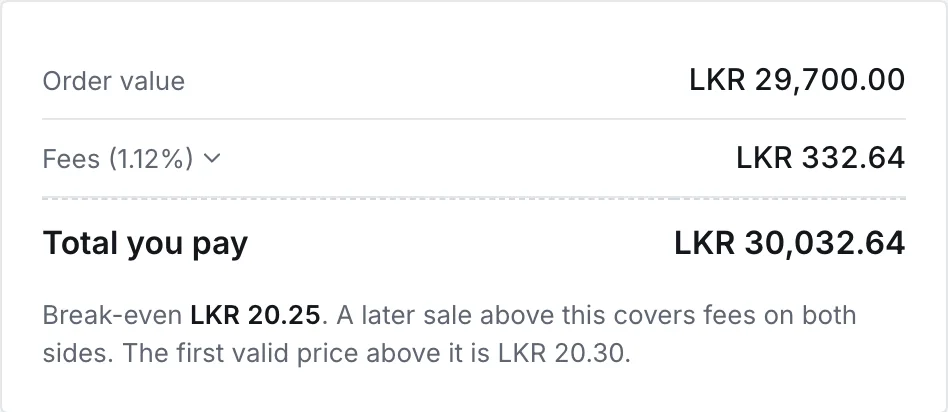
Fee breakdown showing order value, fees and totalFee breakdown showing order value, fees and total
Fee breakdown for Buy 1,500 JKH.N: one group, with the total set apart.

Uniform connectedness

Applied

Elements joined by a line or a shared container read as more related than ones that are only near each other.

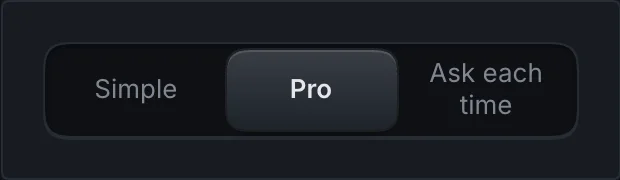
Segmented controls and contained tabs hold their options in one recessed track, so the options read as a single choice, and the selection bubble moves inside that track. The order timeline joins its steps with one line, so they read as the history of one order.

Research: Palmer and Rock (1994).

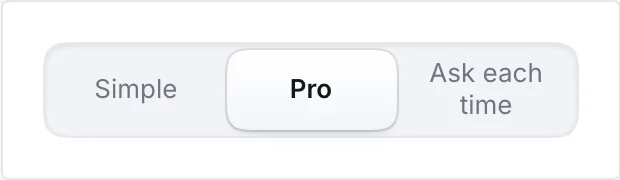
Segmented control with Simple, Pro and Ask each time in one trackSegmented control with Simple, Pro and Ask each time in one track
Segmented control: three options in one track.

Closure

Applied

People complete a shape or a pattern in their head when part of it is missing.

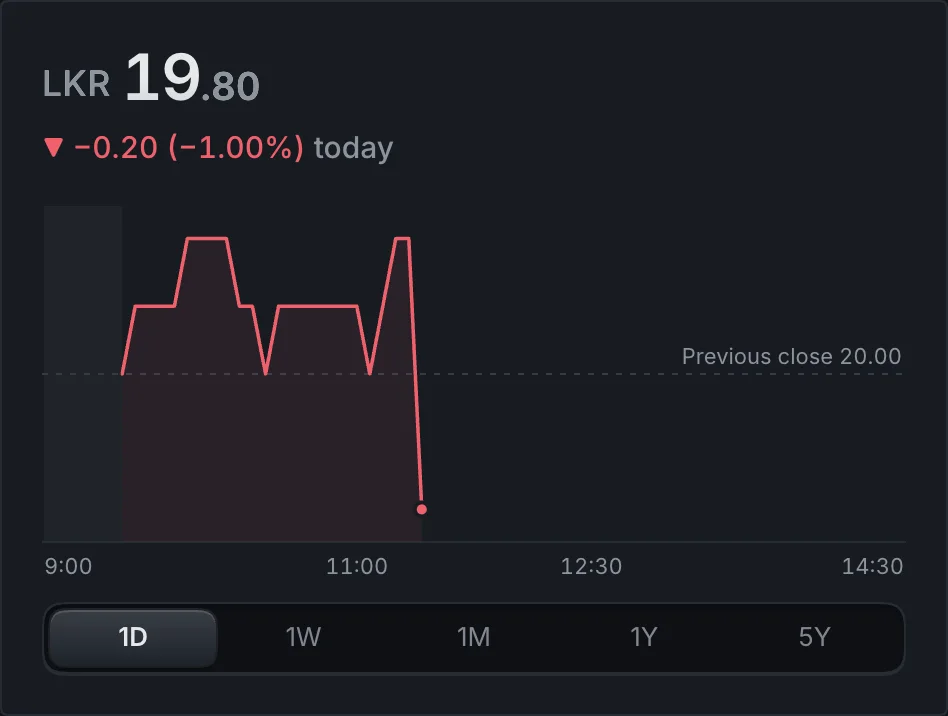
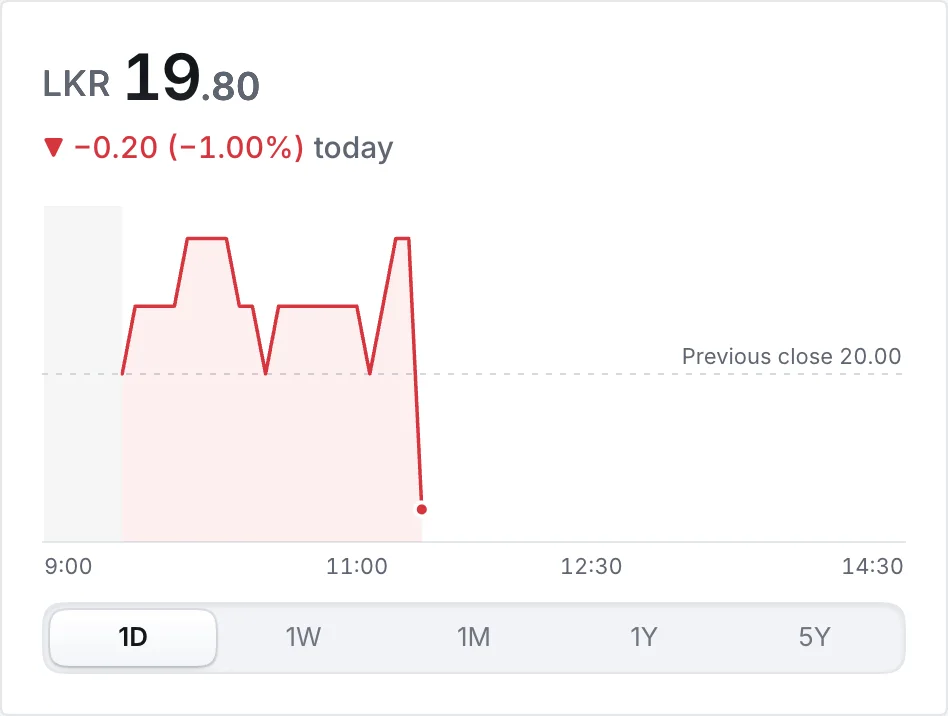
Today's line chart runs its axis to the 14:30 close, so the empty space on the right reads as the rest of the day, and the dotted previous close reads as one line across it. The order timeline shows the steps still to come as open circles on the same line. Skeletons keep the outline of the screen while data loads, so the page reads as whole before the numbers arrive.

Research: Koffka (1935), Gestalt principles of organisation.

Intraday line chart with a dotted previous close line and an axis to 14:30Intraday line chart with a dotted previous close line and an axis to 14:30
Line chart for JKH.N today: the axis runs to 14:30 and the previous close is dotted.

Figure and ground

Applied

People separate what they should look at (the figure) from what sits behind it (the ground).

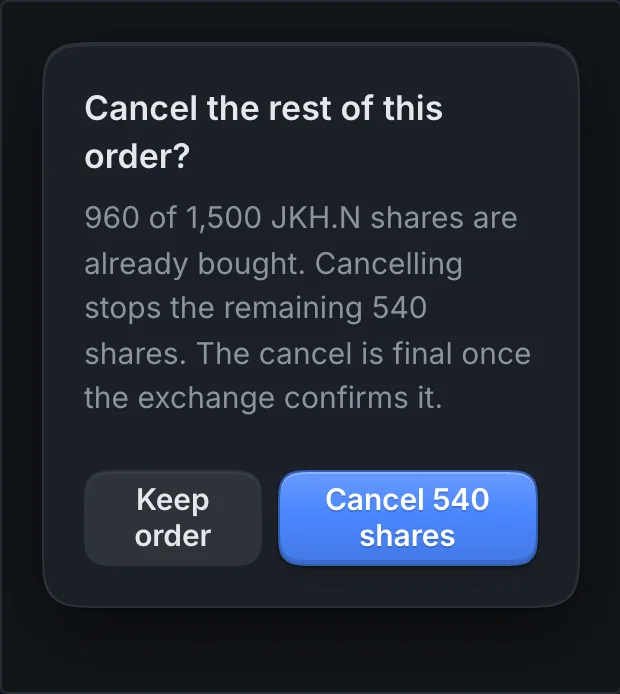
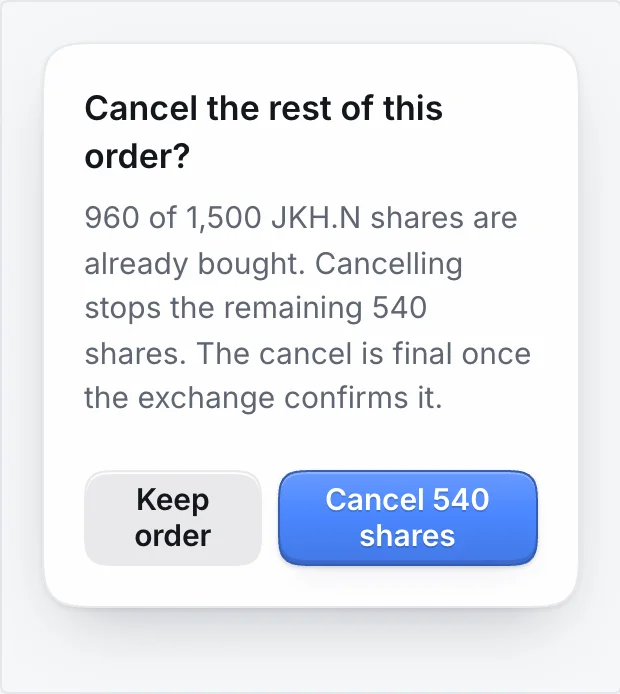
Surfaces follow option A: the chrome (top bar, panel headers, status bar) is a step darker than the content panels, so content comes forward. Only overlays (menus, sheets, dialogs) are raised and carry a shadow, and sheets and dialogs dim the screen behind them. Chart grids and axes stay grey so the price line is the figure.

Research: Rubin (1915).

Dialog asking whether to cancel the rest of an orderDialog asking whether to cancel the rest of an order
Confirm dialog: a raised surface with one clear question.

Attention and memory: what people notice and keep in mind

What stands out, what people learn to ignore, and how much they can hold at once.

Von Restorff (isolation) effect

Applied

Among similar items, the one that differs is the one people notice and remember.

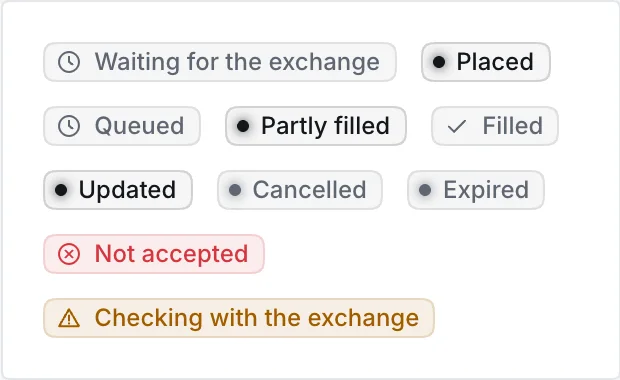
Colour is kept for the few things that need attention. About 90% of a screen is neutral and blue marks actions and selection only. Order status pills stay grey except Checking with the exchange (amber) and Not accepted (red), each with an icon. A stock page has one Trade button, and the review has one filled action.

Research: von Restorff (1933).

Row of order status pills, mostly neutral, two colouredRow of order status pills, mostly neutral, two coloured
Order status pills: only the two states that need you are coloured.

Banner blindness

Applied

People learn to skip anything that looks like an ad or a banner, even when it matters.

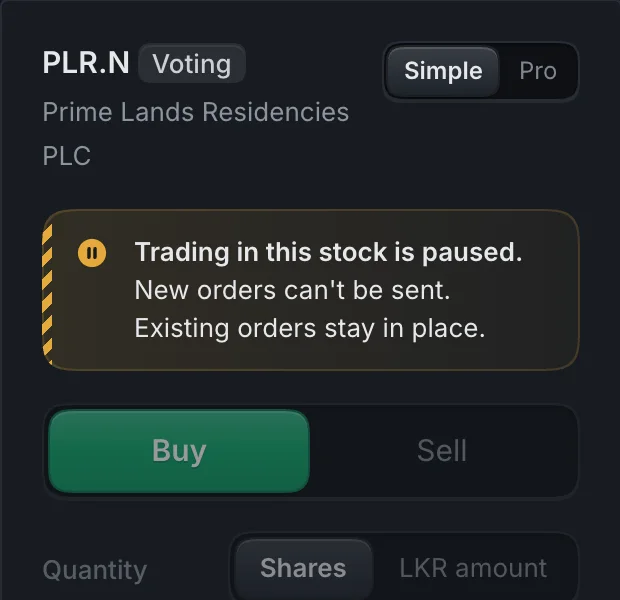
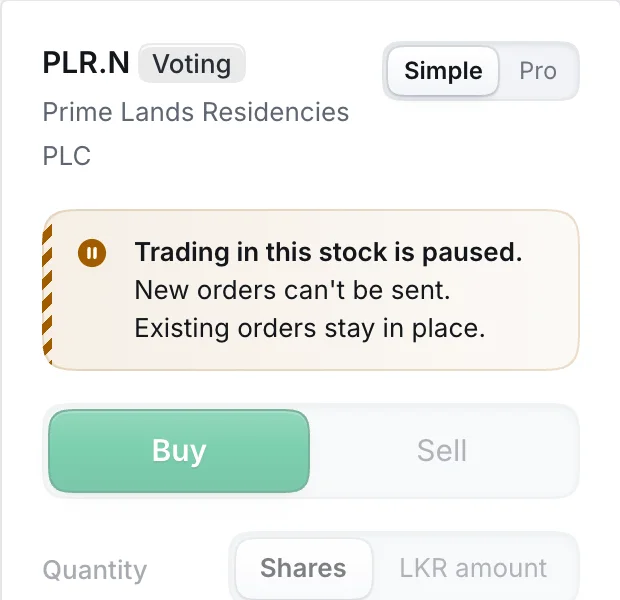
Banners appear only for states that change what you can do: pre-open, halts, offline and a paused account. There are no promotional banners to teach people to skip them. The message never lives in the banner alone: the order ticket repeats a halt where the order is made and stops sending, halted rows say so in words in every list, and order types the session doesn't allow show disabled with the reason.

Research: Benway and Lane (1998); Nielsen Norman Group eye-tracking studies (2007, 2018).

Order ticket for PLR.N with a paused trading messageOrder ticket for PLR.N with a paused trading message
Order ticket for a halted stock: the pause is stated where the order is made.

Miller's law and chunking

Applied

People hold only a few items in mind at once, so break information into small, named groups.

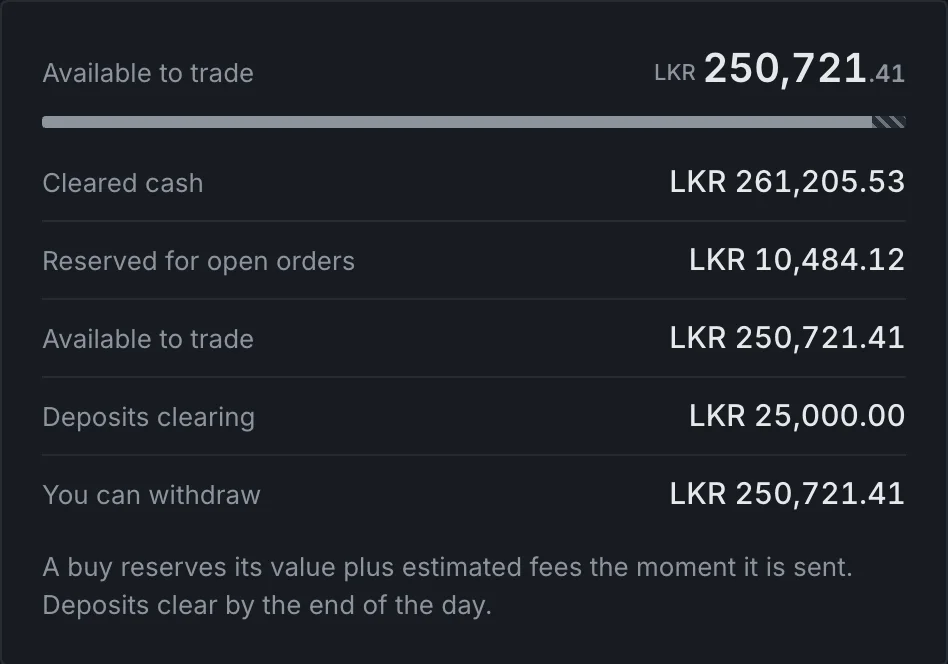
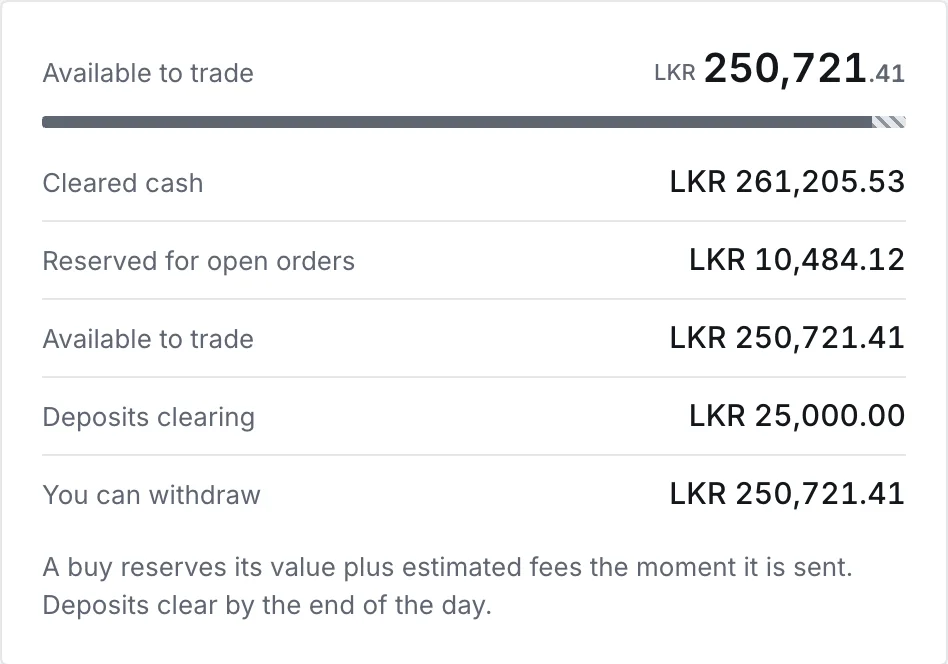
Cash is split into five named amounts (cleared, reserved for open orders, available to trade, deposits clearing, withdrawable) instead of one balance with footnotes. Shares split into can sell now, reserved for open sells and arriving after the CDS update. Figures group digits with commas and shorten large values (LKR 28.62M). The stock page reads in named sections from top to bottom.

Research: Miller (1956); Cowan (2001), about four chunks.

Cash summary with available to trade and five named amountsCash summary with available to trade and five named amounts
Cash summary: five named amounts instead of one balance.

Zeigarnik effect and goal gradient

Partly applied

Unfinished tasks stay on people's minds, and effort rises as the finish comes into view.

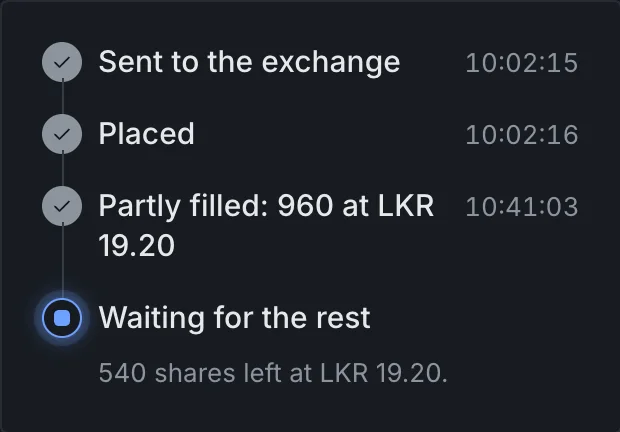
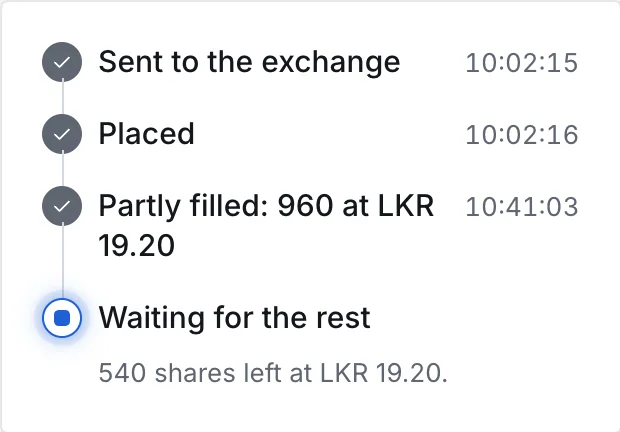
An open order never drops out of view: a partly filled order shows a progress bar and how many shares are left, and the timeline marks the current step. Not built yet: the first-run checklist on Home (sign in, verify the device, import from ATrad, add funds, first watchlist) with visible progress, from the key flows in Part 4.

Research: Zeigarnik (1927); Hull (1932); Kivetz, Urminsky and Zheng (2006).

Order timeline with three completed steps and a current stepOrder timeline with three completed steps and a current step
Order timeline: three steps done, the current one marked, 540 shares left.

Peak-end rule

Applied

People judge an experience mostly by its most intense moment and by how it ends.

The peak of a trade is the moment money is committed, so the review shows everything first: price, validity, fees, total, break-even and when it settles. The end is calm and clear: a toast that says what happened in plain words, the order timeline, and a notification when the exchange replies. A refusal ends with the reason and a button to fix it, never a dead end. No celebrations.

Research: Kahneman, Fredrickson, Schreiber and Redelmeier (1993).

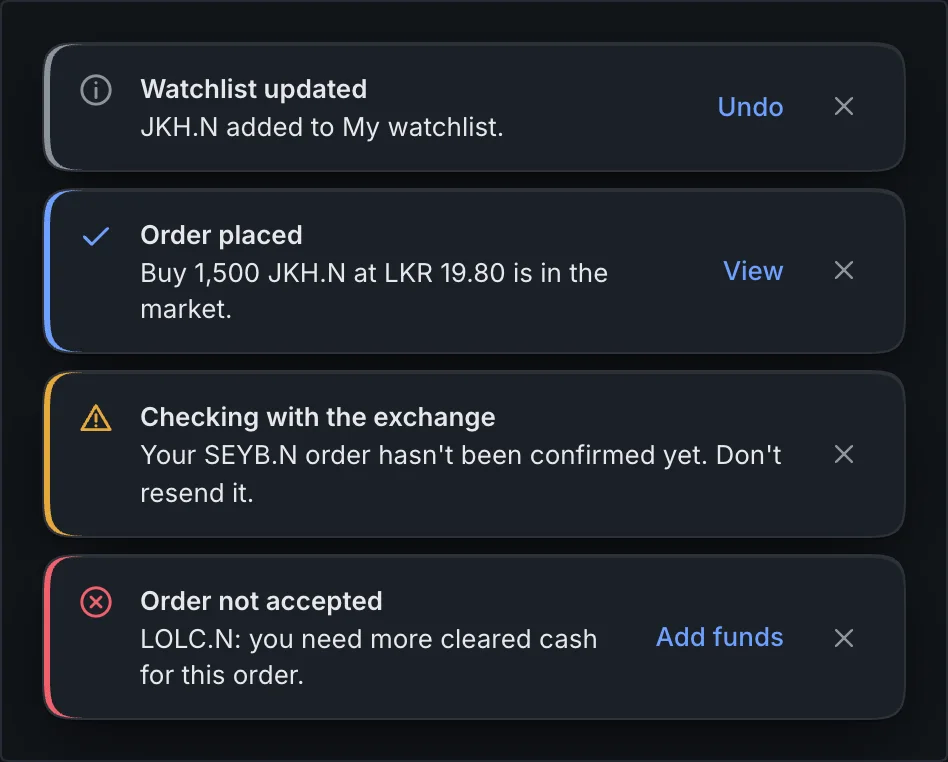
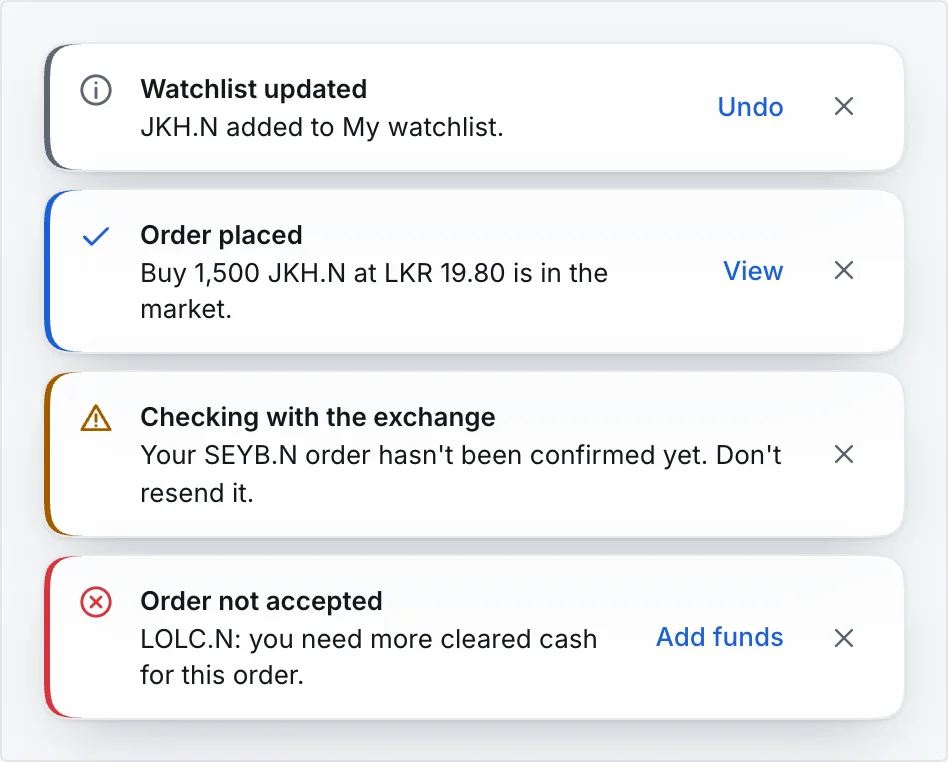
Four toasts: neutral, success, warning and errorFour toasts: neutral, success, warning and error
Toasts: a calm end to each action. Success uses a blue check.

Decisions: how people choose

How the number and familiarity of options change the time and quality of a choice.

Hick's law

Applied

The more options people see at once, the longer they take to choose.

Simple has four tabs (Home, Markets, Orders, Funds), with Account behind the avatar. The Simple ticket shows what every order needs (side, quantity, price, valid until) and keeps the rest under More options in plain words. Segmented controls hold two to five options; longer lists become a dropdown. Pro opens everything for people who already know it.

Research: Hick (1952); Hyman (1953).

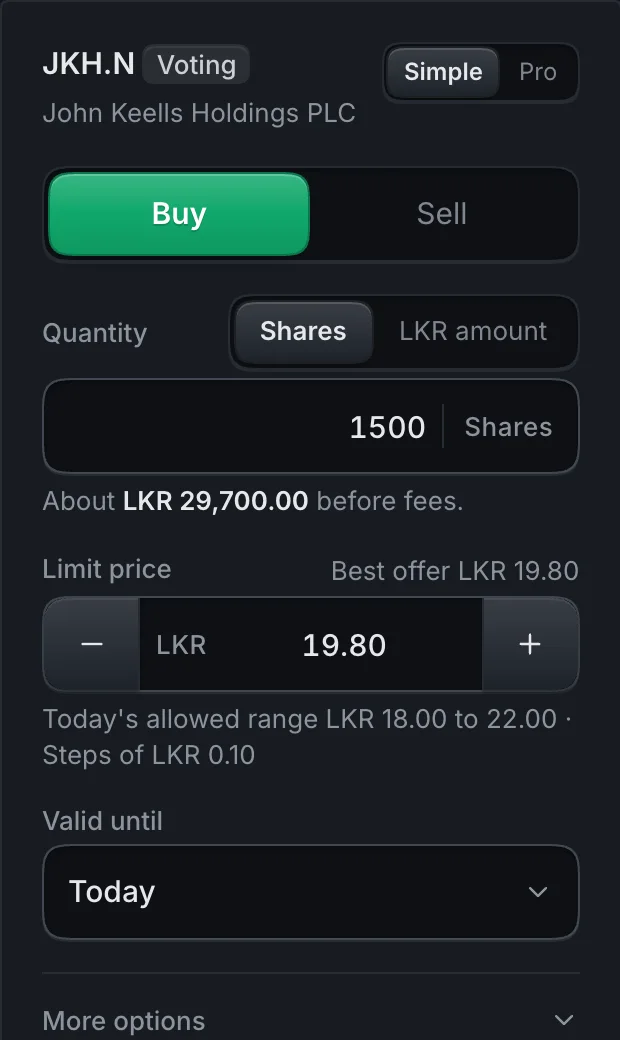
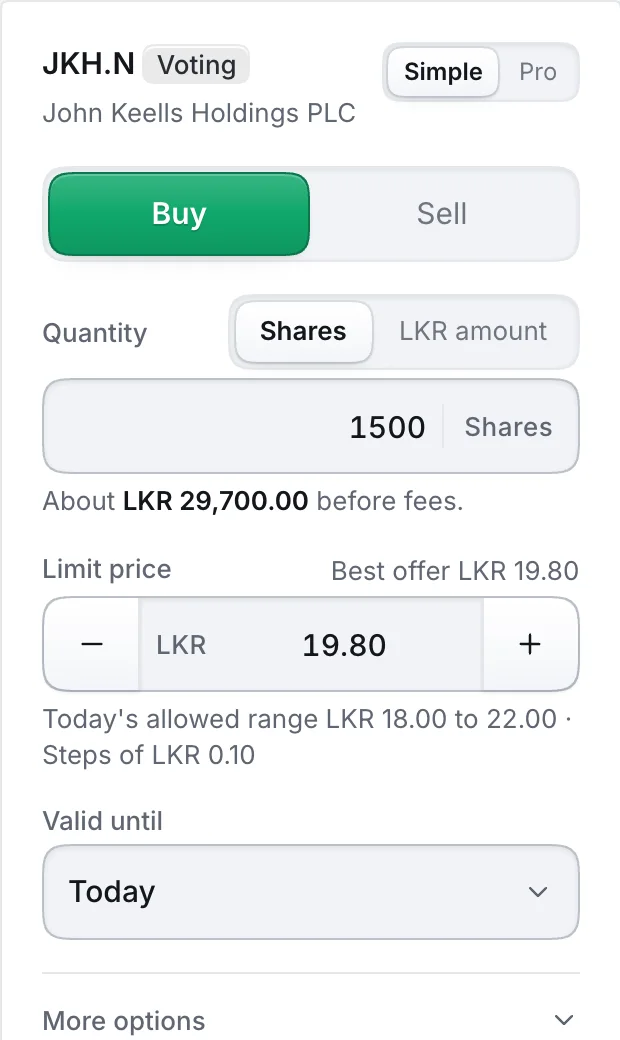
Simple order ticket for JKH.NSimple order ticket for JKH.N
Simple ticket: the fields every order needs first.

Choice overload

Partly applied

Too many choices at once lead to worse decisions, or none at all.

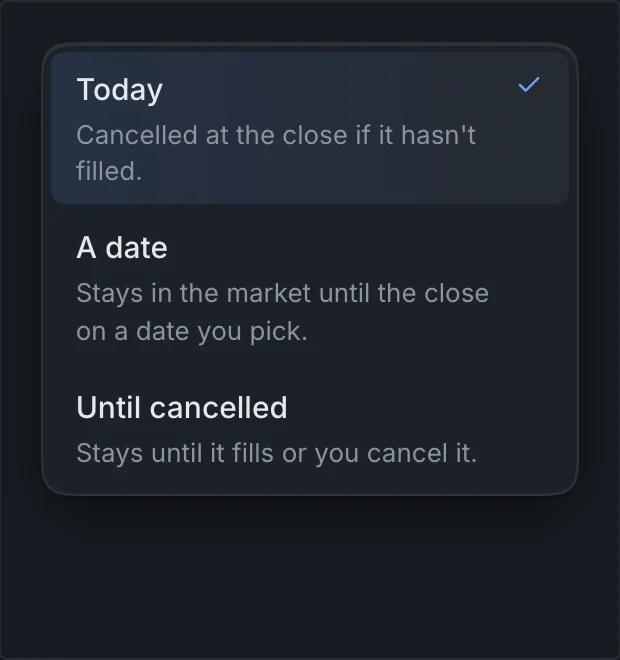
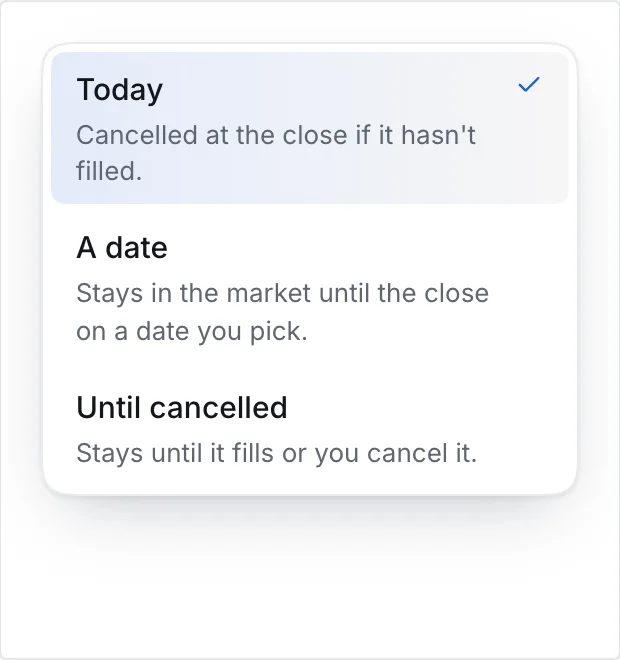
Lists start from presets instead of a blank setup: the market grid has Essential, Trader and ATrad's full 19 columns, and Pro opens on the Trader workspace. Valid until offers three choices, each with one line on what it does. Movers leave out stocks with fewer than 25 trades today, so one small trade can't top the list. Search groups every share class under its company. Not built yet: the other workspace presets (ATrad classic, Investor, Market overview).

Research: Iyengar and Lepper (2000). The effect varies between studies (Scheibehenne et al., 2010), so we use it as a caution, not a rule.

Open list with three Valid until choices and a description for eachOpen list with three Valid until choices and a description for each
Valid until: three choices, each explained in one line.

Jakob's law

Partly applied

People spend most of their time in other products and expect yours to work the same way.

For ATrad users: Enter buys and F2 sells in Pro, the market grid has ATrad's 19-column preset, and every plain status maps one to one to an ATrad status. For everyone: a bottom tab bar on phones, / to search and Esc to close. Not built yet: the ATrad classic layout, ATrad names in tooltips, the command menu, and importing ATrad watchlists and alerts.

Research: Nielsen (2000).

Tooltip on a Buy button showing the Enter keyTooltip on a Buy button showing the Enter key
Tooltip naming the ATrad key: Enter buys the selected stock.

Tesler's law

Applied

Every task has complexity that can't be removed. The question is whether the system or the person carries it.

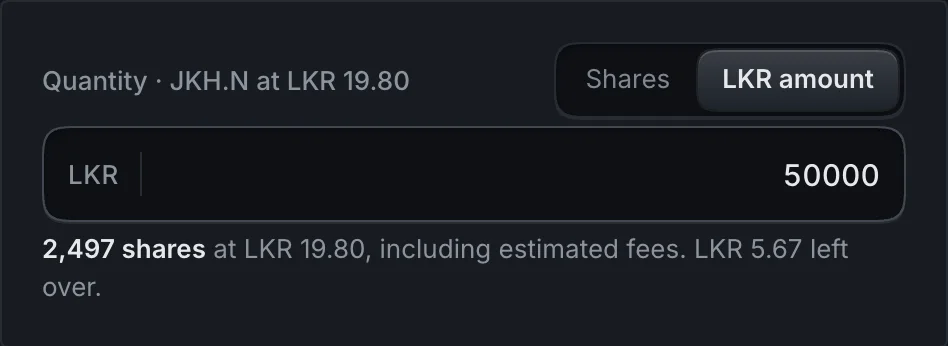
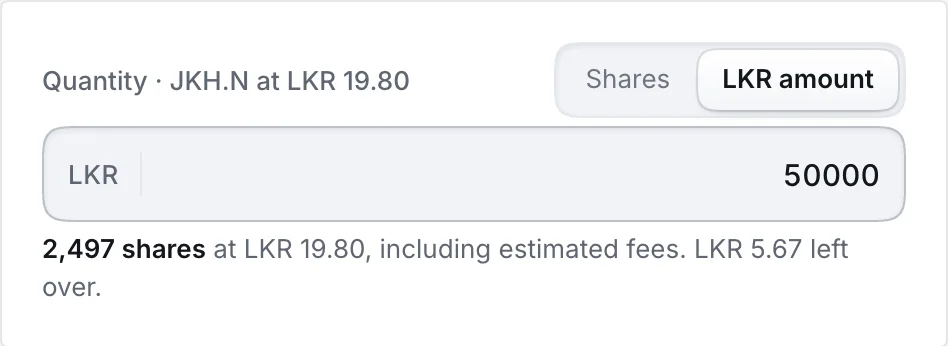
Trade Market carries it. Enter a rupee amount and the ticket works out whole shares with the 1.12% fee included and shows what is left over. Prices snap to the CSE price step. The review works out the break-even price. Cash and shares are shown the way settlement works, so nobody has to work out T+2 or the CDS update in their head.

Research: Larry Tesler, conservation of complexity (Xerox PARC, mid 1980s).

Quantity field in LKR amount mode showing whole shares and leftoverQuantity field in LKR amount mode showing whole shares and leftover
Rupee amount: converted to whole shares with fees, leftover shown.

Speed and effort: how fast a task feels

Target size, response time and what the system accepts, which together decide how quick a task is.

Fitts's law

Applied

A target is quicker to hit the bigger it is and the closer it sits.

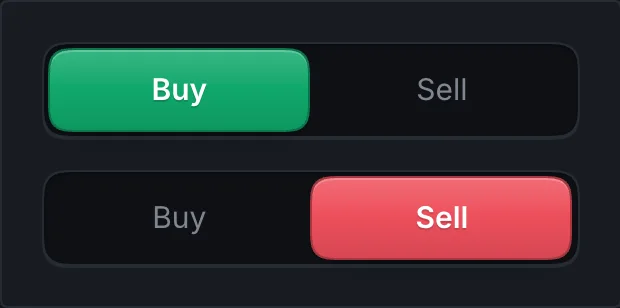
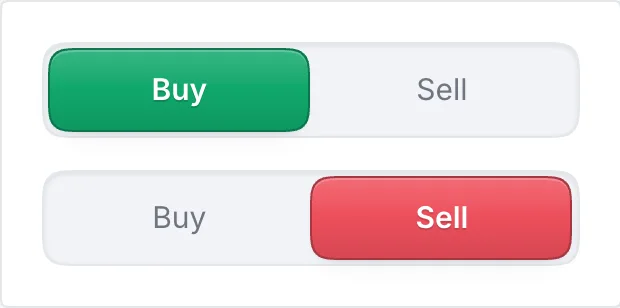
Simple controls are 48px tall and list rows 56px; Pro rows and controls grow to 36px on touch screens. Buy and Sell share the full width of the ticket. On phones the one Trade button is pinned at the bottom, within reach of the thumb. Clicking a price in the order book puts it in the ticket. Placing an order is the deliberate exception: slide to confirm makes the step that can't be undone take a decision.

Research: Fitts (1954).

Buy and Sell segmented controls, each half the widthBuy and Sell segmented controls, each half the width
Buy and Sell: two large targets across the ticket.

Doherty threshold

Partly applied

People stay engaged when the system answers within about 400 milliseconds.

Everything the interface can do on its own answers at once: checks run while typing, a price change tints the number, buttons show a loading state on the first click and ignore a second, and skeletons hold the layout while data loads. What depends on the exchange and the data feed can't be promised by design, so the interface shows honest states (Waiting for the exchange, Checking with the exchange) and a freshness marker on prices. Still to agree: response-time targets with the developers.

Research: Doherty and Thadani (1982), IBM.

Skeleton placeholders for a stock pageSkeleton placeholders for a stock page
Stock page loading: the layout holds while data arrives.

Parkinson's law

Partly applied

A task expands to fill the time it is given, so make the quick path the default.

The ticket starts filled in: the limit price at the best price for your side, valid until today, quantity in whole shares, so a usual order is a few taps and one review. The market-state chip counts down to the next session change, which is a real deadline rather than an open one. Not built yet: prefilled bank reference codes for adding funds, and an onboarding flow that keeps your place.

Research: Parkinson (1955), The Economist.

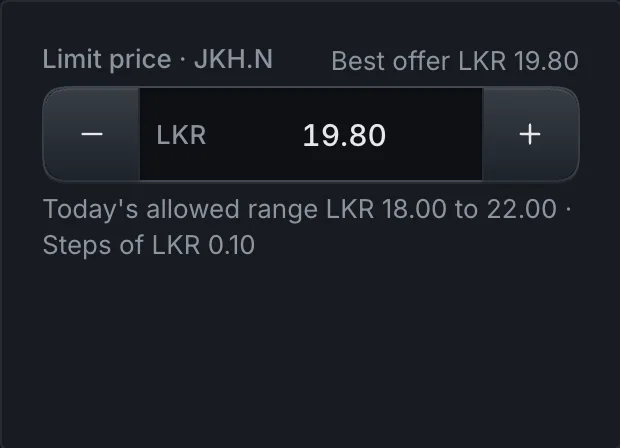
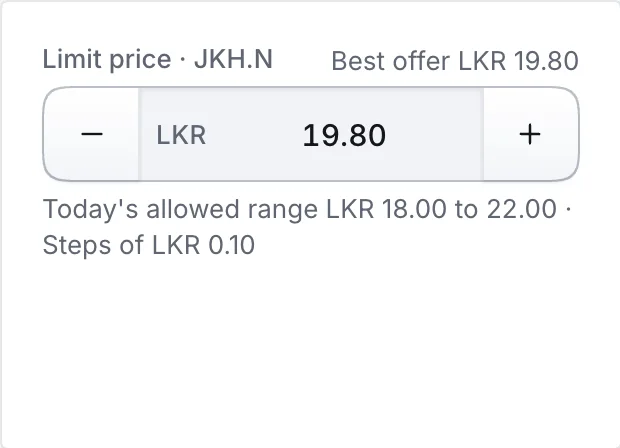
Limit price stepper set to the best offerLimit price stepper set to the best offer
Price stepper: starts at the best offer, on a valid price step.

Postel's law

Partly applied

Be liberal in what you accept from people and strict in what you pass on.

Search takes a name or a code in any case, and a full CSE code such as JKH.N0000 still finds John Keells. A price off the price step isn't refused: the stepper offers the two nearest valid prices. Quantity can be entered as shares or as a rupee amount. What goes to the exchange is always a whole number of shares at a valid price. Not built yet: search by Sinhala and Tamil names.

Research: Postel (1980), RFC 761.

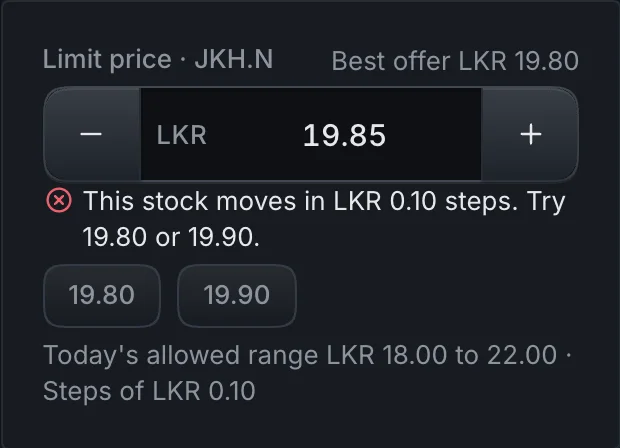
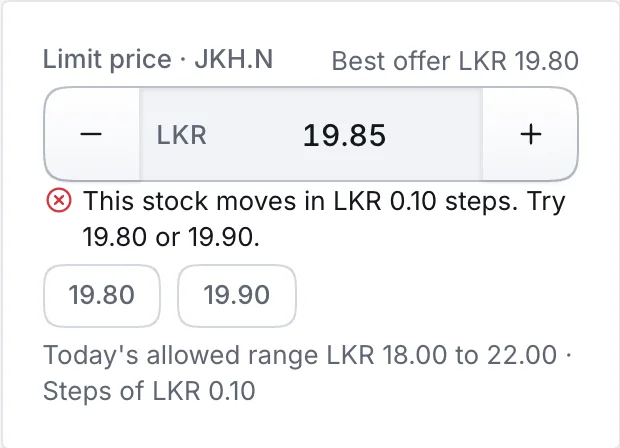
Price stepper with an off-step price and two suggested pricesPrice stepper with an off-step price and two suggested prices
Off the price step: two valid prices offered, nothing refused.

Trust: why people rely on it

A product that handles people's savings has to look careful and act in their interest.

Aesthetic-usability effect

Applied

People see attractive designs as easier to use and forgive small problems in them.

The Instrument look (smooth corners, recessed fields, soft fills, a calm dark palette) is there to earn trust in a product that handles people's savings. The same effect can hide problems in a test, because people are kinder to a good-looking prototype. That is why the usability test counts time and errors against ATrad, not only opinions.

Research: Kurosu and Kashimura (1995); Tractinsky (1997).

Primary, secondary, buy and sell buttonsPrimary, secondary, buy and sell buttons
Buttons in the Instrument look.

Ethical design

Applied

Design for people's interests, not for engagement that costs them money.

No confetti or celebration after a trade. No attention funnels: Movers leave out thinly traded stocks, and the Quick read summary in the pattern lab says Not advice. Fees, break-even and settlement show before every order, limit orders are the default because CSE order books are thin, and there are no streaks, rewards or leaderboards. See what to take from Robinhood, and what to leave.

Research: Barber, Huang, Odean and Schwarz (2022), attention-induced trading.

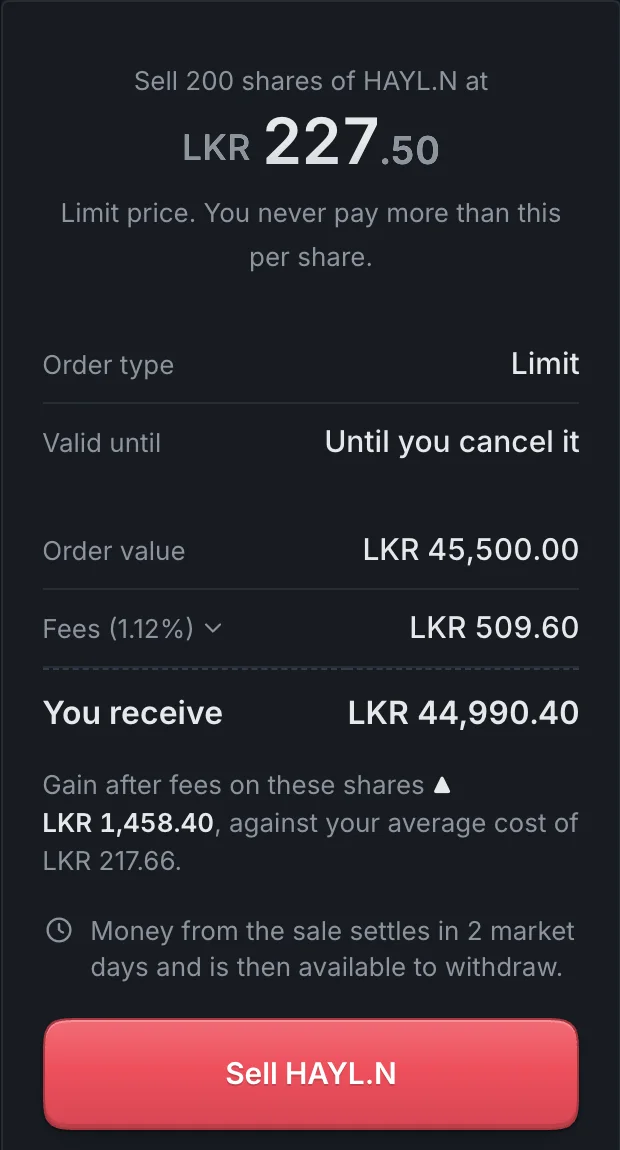
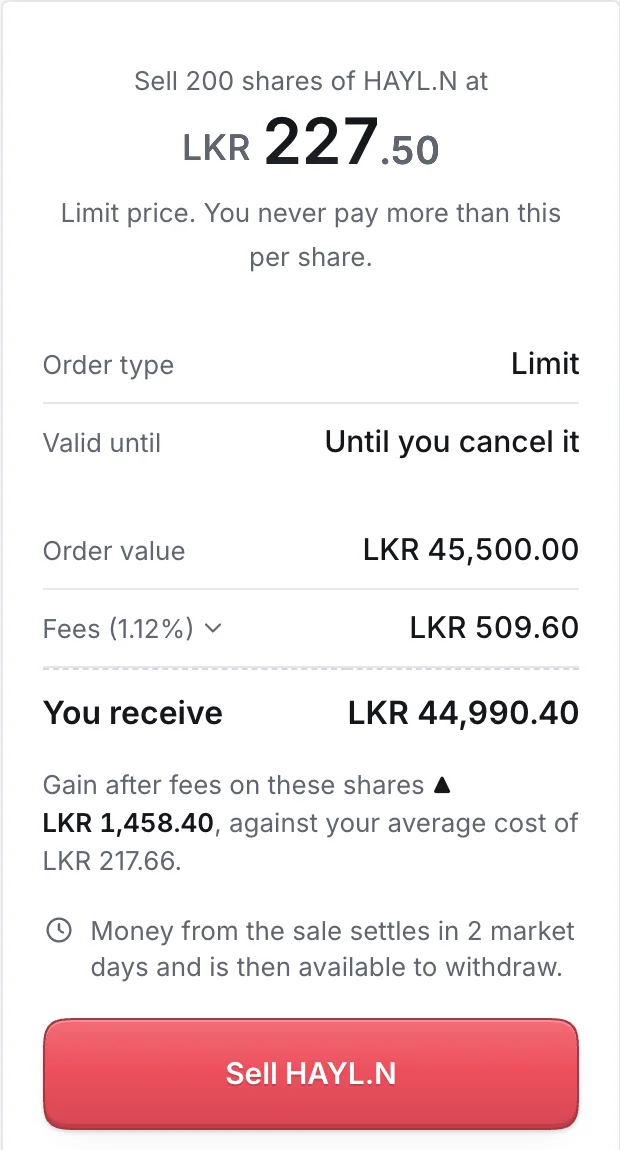
Order review for selling HAYL.N with fees and settlementOrder review for selling HAYL.N with fees and settlement
Sell review: fees, what you receive and settlement before the button.
Part 6

Review and research

Viky's mockup, measured against this direction

Viky built "TradeDesk" with Claude to explore ideas, not as a final design. Much of it already points the right way, including LKR amounts and JKH.N codes.

Keep

  • KeepDark navy, not black, built from tokens, with a working light mode.
  • KeepThe three-column trade screen: watchlist, chart with details, order panel.
  • KeepFees and total cost before Buy, plus "Pending buys" for reserved cash.
  • KeepAdvanced options behind a link: validity, board and quantity conditions.
  • KeepInter, as one of the two typeface candidates.

Change

  • ChangeRename to Trade Market and use the monochrome wordmark.
  • ChangeToo much colour. Blue on the logo, tabs, chart line, links and chips; green on Top up and Buy now as well as gains; coloured Bid/Ask columns and sentiment pills.
  • ChangeEvery block is a bordered card with gaps. Move to flat panels split by thin lines.
  • Change10px uppercase labels. Use 12px sentence case.
  • ChangeMobile stock page: the fixed red and green Sell/Buy bar, market strip and a cut-off stats row crowd the screen. One Trade button that opens a sheet is calmer.

ATrad today

ATrad is built by IronOne Technologies and supplied to stockbrokers. IronOne says it handles about 90% of trade initiations on the CSE, a self-reported figure, so nearly every active Trade Market user will arrive with ATrad habits. The counts below come from your capture.

48
menu destinations across 9 menus
19
columns in the default market watch
14
inputs on the Buy/Sell window
18
columns in the Portfolio grid
13
order statuses in the blotter filter
4
windows to answer "what happened to my order?"

What ATrad does well

  • Density and speed for pros: the 19-column watch, Enter to buy, F2 to sell, depth inside the order window.
  • The market pulse strip: ASI, S&P SL20, turnover, cash in and out, buy sentiment.
  • The full CSE order model: four boards, four order types, six validity options, minimum fill, disclosed quantity.
  • Cost awareness: transaction cost in the order window and a break-even price in the portfolio.
  • A fixed deposit benchmark in the What-if calculator, which is how many Sri Lankans judge an investment.

Where it breaks down

  • A desktop windows model of floating windows, which collapses into one long menu on a phone.
  • Scattered answers: four windows for holdings, four for order outcomes.
  • Codes and jargon before names: JKH.N0000, B.E.S, VWA, Disclose Qty, OPG.
  • Snapshots that look live: many windows need a Refresh button and show "Last Refresh Time".
  • Small, low-contrast type on dark gradients, with colour as the only signal for status.

How the CSE differs from a crypto exchange

Arkham and Hyperliquid are crypto products, so their look transfers but some of their assumptions don't. These are the differences that change a screen, a default or a message.

AreaCSECrypto exchangeWhat it changes
Trading timeWeekdays. Pre-open 9:00 to 9:30, regular 9:30 to 2:30 Colombo time (2023 SEC directive). Closed on Poya and public holidays.24 hours, 7 daysA market-state indicator, holiday calendar, and clear messaging for orders entered outside hours
Daily changeAgainst the previous closeRolling 24 hoursSay "today", not "24h"
SettlementT+2 since June 2024; shares in the investor's CDS accountInstant, custodial walletSeparate cleared, reserved and arriving balances
Units and pricesWhole shares only; price steps of LKR 0.10 up to LKR 100 and LKR 0.25 above (2021 rule)Fractions, fine precisionRupee amounts convert to whole shares; steppers snap to valid prices
CostsAbout 1.12% per side up to LKR 100MAround 0.1% or a hidden spreadFees, total and break-even on every review
LiquidityMany stocks trade thinlyDeep books on major pairsLimit orders by default; warn before a market order moves the price
Risk controlsIndex circuit breakers, price bands, haltsUsually noneHalt banners and disabled order entry with a reason
LeverageMargin through licensed providers; regulated short selling on an eligible listHigh leverage, often on the home screenMargin and short selling for eligible accounts only, in Funds and Pro. No futures on the CSE yet.
Corporate eventsDividends, rights issues, bonus issues, splitsAirdrops, stakingEntitlements, deadlines and adjusted average cost
PeopleBroker and investment advisor in the loopSelf-directedAdvisor contact; advisor-placed orders labelled
QuotingEverything in LKRTrading pairsNo pair selector, one currency throughout

Why the fee row matters

A stock has to rise about 2.3% before a buy and a later sell break even. This calculator uses the 1.12% rate and the price-step rule above.

Assumes the sale happens on a later day. A same-day buy and sell through the same broker is charged on one side only.

Sell above this price to make any profit
LKR 18.20
Order value
·
Fees on the buy (1.12%)
·
Total you pay
·
Rise needed to break even
·
Lowest profitable valid price
·
If the price rises 5%, you keep
·

Who uses it

Four groups, not two. The "basic" group splits into long-term holders and small-profit swing traders, and brokers' advisors already work inside ATrad. These are assumptions from desk research, to be tested in interviews.

The holder

"Am I doing better than my fixed deposit?"

Behaviour
Buys well-known companies a few times a year and holds for dividends.
Device
Android phone, often outside Colombo.
Needs
Value after fees, dividends and their dates, explanations in their language.

The swing trader

"Tell me when it hits my price, and what I actually make after fees."

Behaviour
Chases 5 to 10% moves in mid and small caps, often on tips.
Device
Phone first, laptop sometimes.
Needs
Price alerts, fast sell, break-even before ordering, clear order status.

The active pro

"Everything on one screen, and faster than ATrad."

Behaviour
Trades every session, watches depth and the tape, uses shortcuts.
Device
Desktop, often several monitors.
Needs
Density, speed, keyboard control, linked panels.

The advisor

"My clients' orders and confirmations in one place."

Behaviour
Broker staff placing and watching orders for many clients.
Device
Desktop.
Needs
Multi-account blotter, baskets, client lookup.
NeedHolderSwing traderActive proAdvisor
Core Sometimes Rarely

What to take from Robinhood, and what to leave

Take

  • Lead with one number: portfolio value in LKR, today's move, return after fees.
  • A stock page that reads top to bottom: name, code and class, chart, your position, dividends, announcements, with Buy and Sell pinned.
  • Amount-first orders: enter rupees, get whole shares with fees included and the leftover shown.
  • One review step with fees, break-even and settlement, then slide to place.
  • Plain words for every status and term.

Leave

  • Celebrations after trades. Robinhood dropped its confetti in 2021 under regulatory criticism.Investment Executive
  • Attention funnels. Stocks that Robinhood users herded into had average five-day abnormal returns of about −3%, with the Top Movers list as one cause.Barber et al., SSRN 3715077
  • Market orders as the default, which fill badly in thin CSE order books.
  • A green brand colour that mixes the brand with market direction.

What the Sri Lankan market needs

At launch

  • Sinhala, Tamil and English, switchable before login.
  • Mid-range Android on patchy data: light screens, last-known prices with a timestamp.DataReportal 2026: 13.9M internet users, 59.7% of the population.
  • Market state always visible, including Poya holidays and halts.
  • Settlement-aware cash and shares, as shown in Part 3.
  • Dividends and corporate actions: XD and payment dates, net of 15% withholding tax, rights deadlines.
  • Bank-transfer funding with reference codes that match deposits automatically.
  • Security that fits local habits: SMS one-time codes, biometrics, SMS alerts as a fallback.
  • Migration from ATrad: imported watchlists and alerts, familiar shortcuts.

Later

  • "Compared with a fixed deposit" on holdings.
  • Monthly investment plans in whole shares.
  • A dividend calendar with a yearly income estimate.
  • Short explanations in three languages for terms like XD date and rights issue.
  • Practice mode with virtual money.
  • A Shariah-compliant filter.SEC whitelist index directions, 2024
  • Treasury bills, bonds and unit trusts beside equities.
Part 7

Platforms to study

Ten to study first

Desk research from 22 October 2026 across retail brokers, emerging-market brokers, pro terminals, crypto exchanges, DEXs and charting tools. ✓ marks details checked against a 2025 or 2026 source. Everything else is general product knowledge to confirm hands-on. Hyperliquid and Mobbin couldn't be opened directly during the research.

  1. HyperliquidThe Pro layout reference. Study the order panel, the positions, orders and fills tabs under the chart, and thin dividers in place of cards.
  2. Robinhood and Robinhood Legend✓One brand across both densities. The app is the Simple reference. Legend (US 2024, UK 2025) carries the same brand into a dark desktop workspace with preset and custom layouts.
  3. Zerodha Kite and Terminal Mode✓Complex exchange rules shown calmly, in light and dark. Terminal Mode, in beta since February 2026, adds drag-and-resize panels and up to 10 saved workspaces. The closest example of ATrad parity without ATrad's clutter.
  4. moomoo✓A Lite/Pro switch at the top right of the trade page itself. Lite is for new users; Pro adds the order book and more order types. The most direct precedent for a Simple/Pro switch on mobile.
  5. Coinbase Simple and Advanced✓One account and one balance in two modes, with no money moved between them. Study where the switch sits and what each mode leaves out.
  6. Groww✓India's simple-first broker: phone-first onboarding, stock pages a first-time investor can read, Indian-language support. Its separate 915 terminal, announced in 2025, is the pro side.
  7. Stockbit✓Indonesia, with tick sizes, lots, price bands and thinly traded small caps much like the CSE. Study watchlist density, the order book on a phone, and fees shown at order time.
  8. Asia Securities Athena✓The direct local competitor, launched August 2025. The first CSE trading platform fully integrated with TradingView, on mobile and web, with depth, watchlists, alerts and portfolio. Get a demo account and compare feature by feature.
  9. ArkhamThe monochrome density reference: 12 to 13px tables, a grey hierarchy, minimal colour. Its exchange shows the same style applied to an order ticket.
  10. TradingView✓The chart engine decision. Lightweight Charts v5 is open source with a 35 kB base bundle, which suits mid-range Android. The broker-grade Advanced Charts library needs an access request. Athena already uses TradingView, and the CSE added TradingView charts to MyCSE in 2023.

Close behind: IBKR Desktop, a modern replacement for an old terminal, which is the same job as replacing ATrad. Kraken, which splits simple and pro into two separate apps, the opposite of this direction. The CSE Mobile App, reportedly relaunched in December 2025.

By category

Retail brokers with clean design

PlatformStudyWatch out for
RobinhoodBig portfolio number with a chart you can drag across; the stock page; amount, review, confirm; order timelineCelebrations, fractional buying, the green brand
Robinhood Legend✓Layout presets, symbol-linked widgets, the order ticket docked beside the chartUS options and futures widgets
Public.comCalm stock pages, plain-language explanations of a positionThe weight of its social feed
WealthsimpleRestrained type, monochrome with one accentBanking mixed into trading
Trading 212✓A December 2025 portfolio redesign that drew heavy user backlashVisuals that hide profit and loss
Trade Republic✓One-screen buy and sell; a 2023 redesign criticised for hiding featuresRemoving density users rely on

Emerging and frontier markets

PlatformStudyWatch out for
Zerodha Kite✓IndiaMarket watch density, an order window with a drawer for advanced fields, Terminal Mode workspacesDerivatives clutter
Groww✓IndiaOnboarding, the Explore home, simple stock pages, a separate pro terminalFund and IPO cross-selling
Stockbit✓IndonesiaOrder book on a phone, watchlist with news, fees at order timeA noisy social layer
DNSE, VPS SmartOne✓VietnamFast order entry, automatic take-profit and stop-loss, IPO subscription in the appScreens need hands-on capture
KTrade, Finqalab✓PakistanDigital account opening, funding from a mobile walletLittle to avoid noted
iBroker LBS, BRAC EPL Trade✓BangladeshLive exchange announcements on the dashboard, Face ID, digital account openingGeneric white-label skins
Ziidi Trader✓Kenya, inside M-PesaStock trading inside a wallet app, from one shareA distribution idea more than a design one
Bamboo, Trove✓NigeriaSign-up with a national ID; trust around moving moneySlow verification and withdrawals, a common complaint

Sri Lanka

PlatformStudyNote
ATrad✓Every screen, order field, board and validity option, baskets, SMS alertsThe parity checklist, not a design source
Asia Securities Athena✓TradingView charts, depth, alerts and portfolio on mobile and webDirect competitor since August 2025
CSE Mobile App✓Account opening, market data, announcements, corporate-action wordingUsers already know its vocabulary
Dialog Genie✓Softlogic StockbrokersCDS account opening and stock orders inside a telco wallet (2022)Current status unconfirmed

Pro and desktop terminals

PlatformStudyWatch out for
IBKR Desktop✓Depth, time and sales and one-click orders in a modern shell that replaces an old terminalGlobal multi-asset sprawl
moomoo desktop✓Lite/Pro switch, heat maps, depthColour noise
Webull✓A separate Lite app compared with a toggle; desktop layoutsToo busy for Simple
thinkorswim, SaxoAdvanced order tickets, linked windowsVisually heavy

Crypto exchanges and DEXs

PlatformStudyWatch out for
Coinbase✓Simple and Advanced on one account; the Advanced trade layoutA spread hidden in Simple
Binance✓Lite/Pro switch in the profile menu; Lite drops the order book and chartsPromo banners, the gold accent
Kraken✓Simple and pro as two separate appsThe two-app split itself
OKX, BybitCompact mobile order panels and depthLeverage nudges, gamification
HyperliquidFlat layout, order book with a trades tab, compact order panel, bottom tabsLeverage slider, wallet language
Lighter✓Leads with a clear path to action, then reveals depthCrypto framing
Aster✓Explicit Simple and Pro modes, full order book in ProExtreme leverage

Charting, analytics and screen libraries

PlatformStudyNote
TradingView✓Chart chrome, drawing tools, dark and light chart themesThe engine choice for both densities
ArkhamMonochrome tables, entity pages, dense filtersStyle reference only
KoyfinClean dark data tables and dashboardsFor statements and research screens
Simply Wall StVisual summaries for long-term holdersSkip the decorative graphics
FinvizMarket heat mapA daily view of CSE sectors
Mobbin✓Shipped screens and flows; check coverage of Robinhood, Coinbase, Groww and ZerodhaPaid
Page Flows✓Video recordings of onboarding, verification and buy flowsPaid
IBM CarbonDark themes and dense data tables for a two-density systemNot trading-specific

Patterns the best ones share

  • One account, two densities, no money moved between modes. moomoo, Coinbase, Aster and Robinhood with Legend all work this way, and the switch sits in the same place in both modes. Kraken and Webull ship separate apps, the weaker pattern here.
  • One order ticket, expanded in Pro. By default it shows side, quantity, price and estimated total; board, validity, stop and other advanced fields sit behind an Advanced row.
  • Costs before confirmation, including the break-even price. Coinbase Simple hides its spread; Trade Market shouldn't.
  • One hero number, everything else quiet.
  • Flat panes in Pro: one background, 1px dividers, and a tabbed bottom panel for positions, open orders, fills and history.
  • Market state and freshness always visible: the session, the last trade time, a stale-data marker, and "last traded 3 days ago" on illiquid stocks.
  • Order status as a timeline with a timestamp at each step.
  • Corporate actions and announcements next to the holding, as iBroker LBS and the CSE app put announcements on the dashboard.
  • Restraint survives redesigns; novelty doesn't. Trading 212 and Trade Republic both met backlash for redesigns that hid information users relied on. Simple mode must never remove what a holder checks every day.
  • Built for the device: small chart bundles, skeleton loading states, cached last-known values with timestamps, and long Sinhala and Tamil labels tested in dense tables.
Part 8

Next

Open items

  1. Keep both typefaces in the build.Inter and Geist sit behind one font token while screens are built. Switch back and forth on real screens, including Windows at 100% scaling and a mid-range Android phone, in English, Sinhala and Tamil, then decide.
  2. Build the mood board.Capture current screens from the ten platforms in Part 7, starting with Robinhood, Arkham and Hyperliquid, next to Viky's mockup. Get a demo account for Athena.
  3. Confirm the code rule.Check against the CSE securities list which classes carry series digits other than 0000.
  4. Confirm market rules with the CSE and broker.Current hours, the price-step table, the fee schedule, and the capital gains treatment of listed shares after the 2026 tax amendment.
  5. Refine the architecture.Draft 1 is in Part 4 and stays open for amendments. Its numbered open questions are the place to start.
  6. Test with people.Short sessions with holders, swing traders, ATrad power users and advisors once screens exist.

Sources

Internal

  • ATrad interface captureMenus, windows, columns and order fields
  • TradeDesk Trader, Viky's mockupVisual exploration of an ATrad replacement
  • Enclave architecture brief, 20 October 2026Order states, pre-trade checks, reservations, halts

UX and design

Platform research

Market and regulation